2023
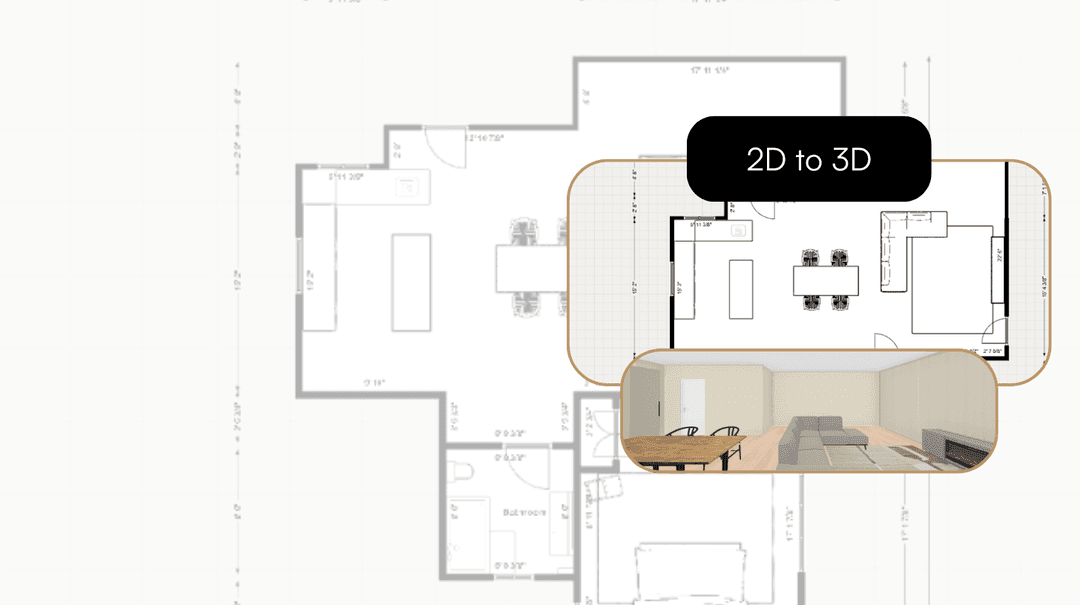
Take your Residential Plans from 2D to 3D Instantly
One click. Fully immersive 3D. Transform flat floorplans into realistic models and see your spaces come to life.

Patrick Murphy
CEO & Co-Founder
We are excited to introduce the Instant 2D to 3D Conversion feature, a tool that allows both professionals and homeowners to elevate flat floorplans into immersive 3D models with the click of a button. This capability is designed to enhance the visualization process, providing a more accurate depiction of how spaces will look and feel. Let’s explore this innovative feature that is set to change the way you interact with your design projects.
Understanding Instant 2D to 3D Conversion
Seamless Integration
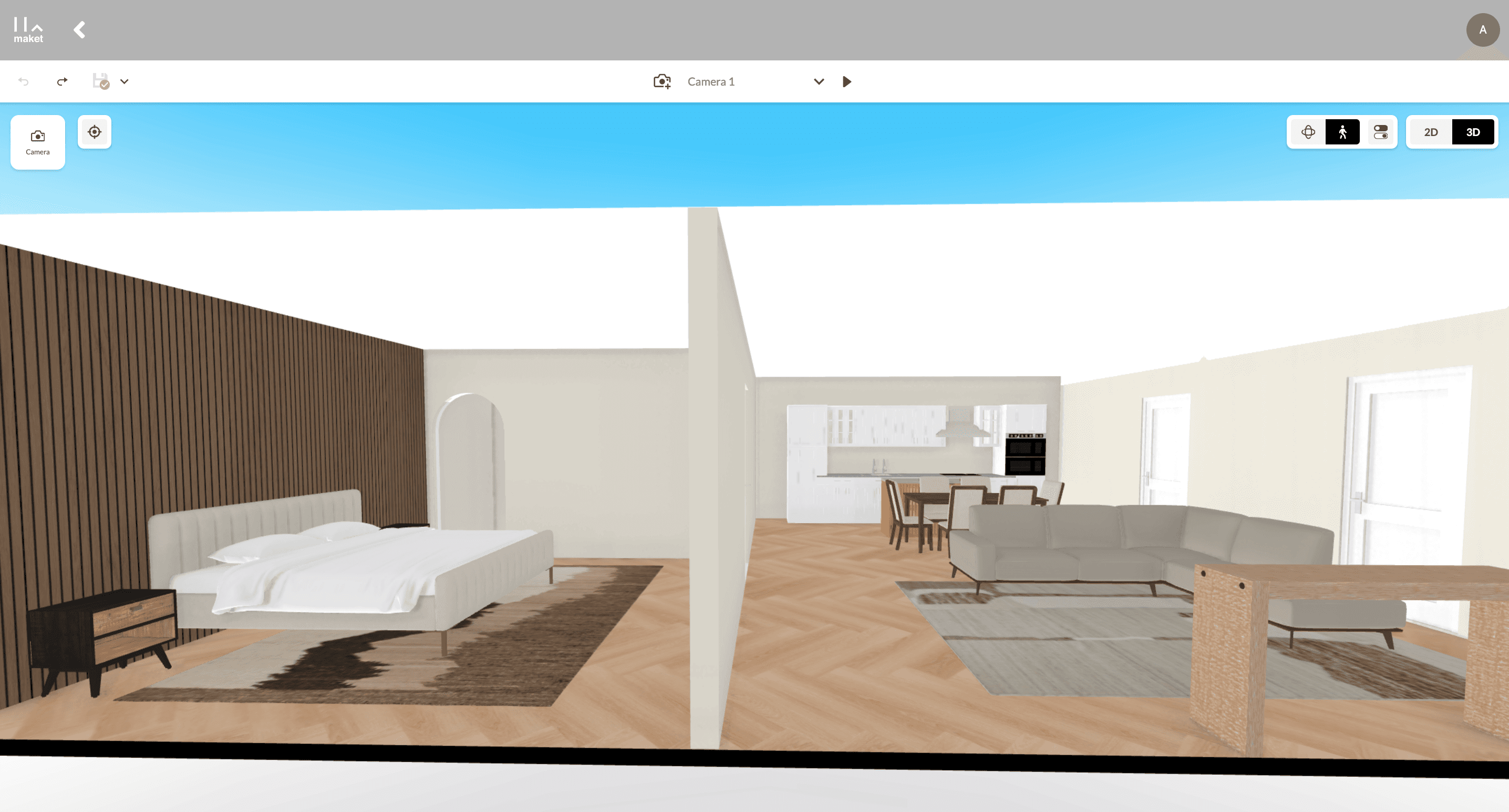
Our Instant 2D to 3D Conversion tool seamlessly integrates with the existing digital floorplan environment. With this tool, transitioning from 2D to 3D not only takes a split second but also retains all the original details specified in the 2D model, including dimensions, materials, and furniture placement.
Key Features of 3D Visualization
Real-Time Interaction
Walkthrough Capability: Navigate through the 3D space as if you were physically present, allowing for a comprehensive review of every corner and detail.
Adjustable Perspectives: View the model from various angles to assess the design's functionality and aesthetic appeal.
Enhanced Detailing
Material Finishes: Experience the textures and finishes of various materials used within the space.
Lighting Effects: Understand how natural and artificial light will interact with your designs throughout different times of the day.
Dynamic Modification
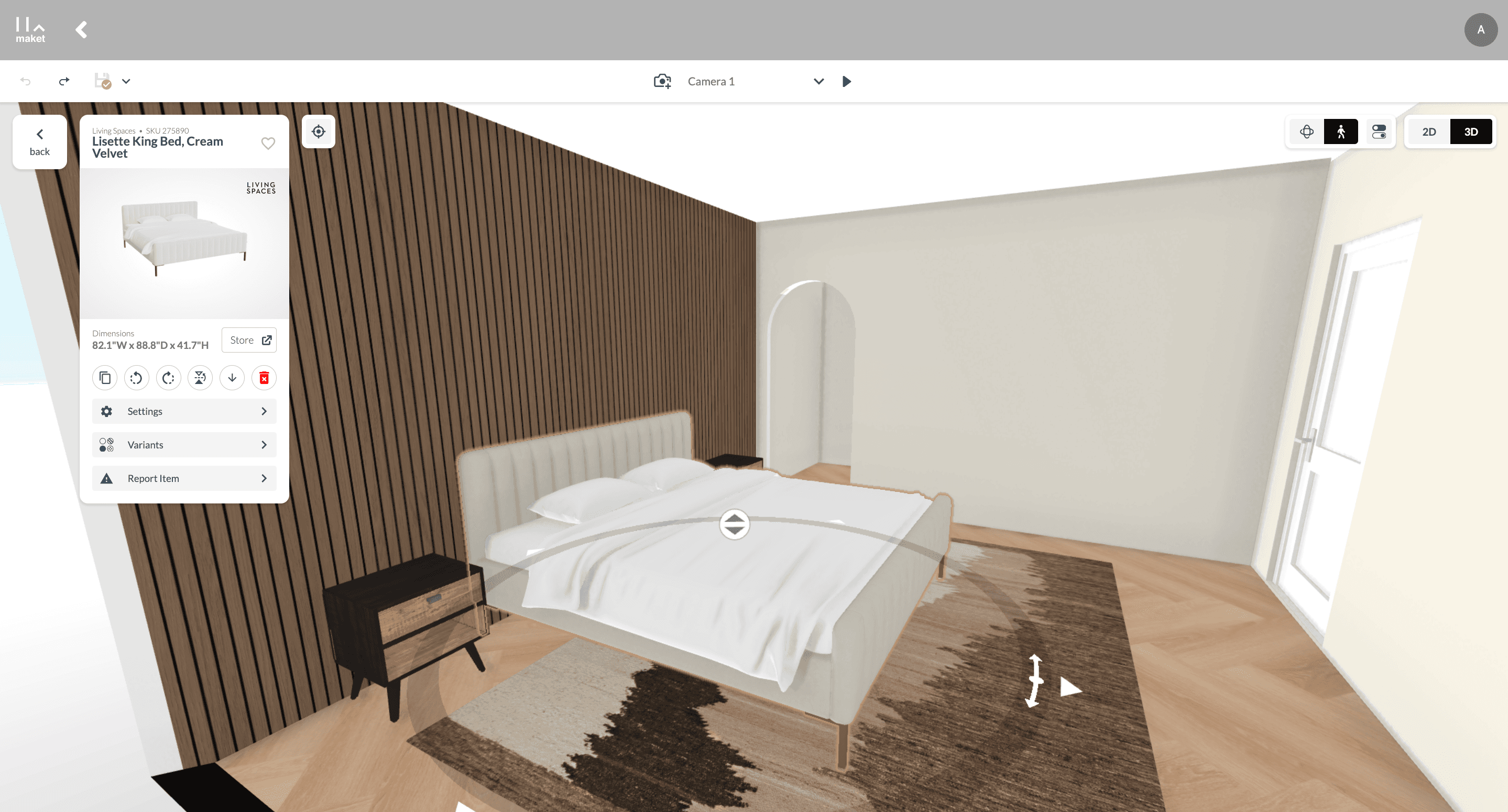
Make real-time adjustments to the 3D model and immediately see the effects of your changes, ensuring the model evolves as needed without reverting back to 2D for modifications.
How to Use the Instant 2D to 3D Conversion Tool
Simple Steps to Transform Your Design
Open Your Project: Start with a 2D floorplan that has been fully detailed with all necessary information.
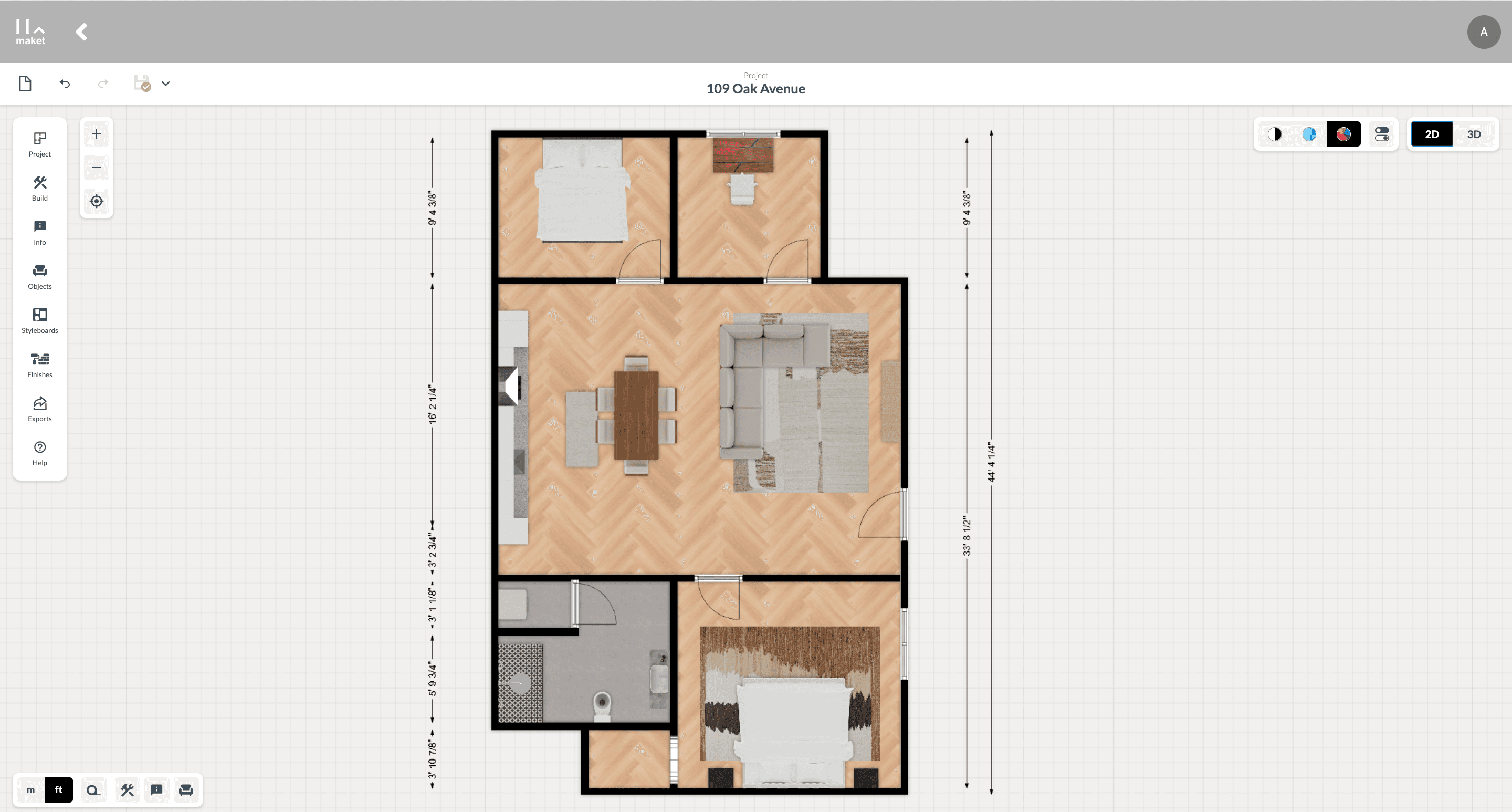
Select the 3D Option: Find and click on the ‘3D’ button located in the top right corner of the screen.
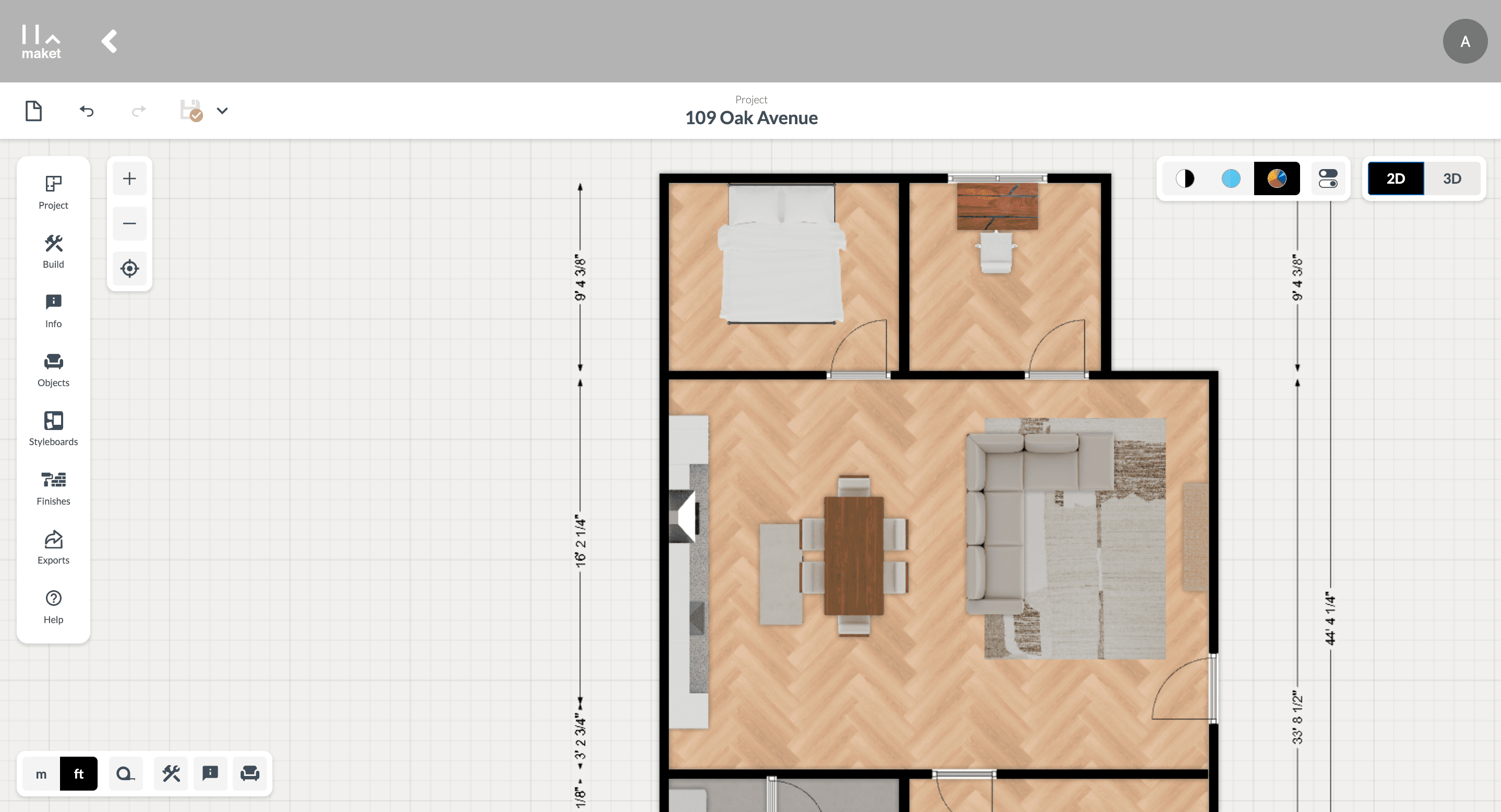
Customize Your View: Once the model is converted, use tools to rotate, zoom, and pan across the 3D space to view it from different perspectives.
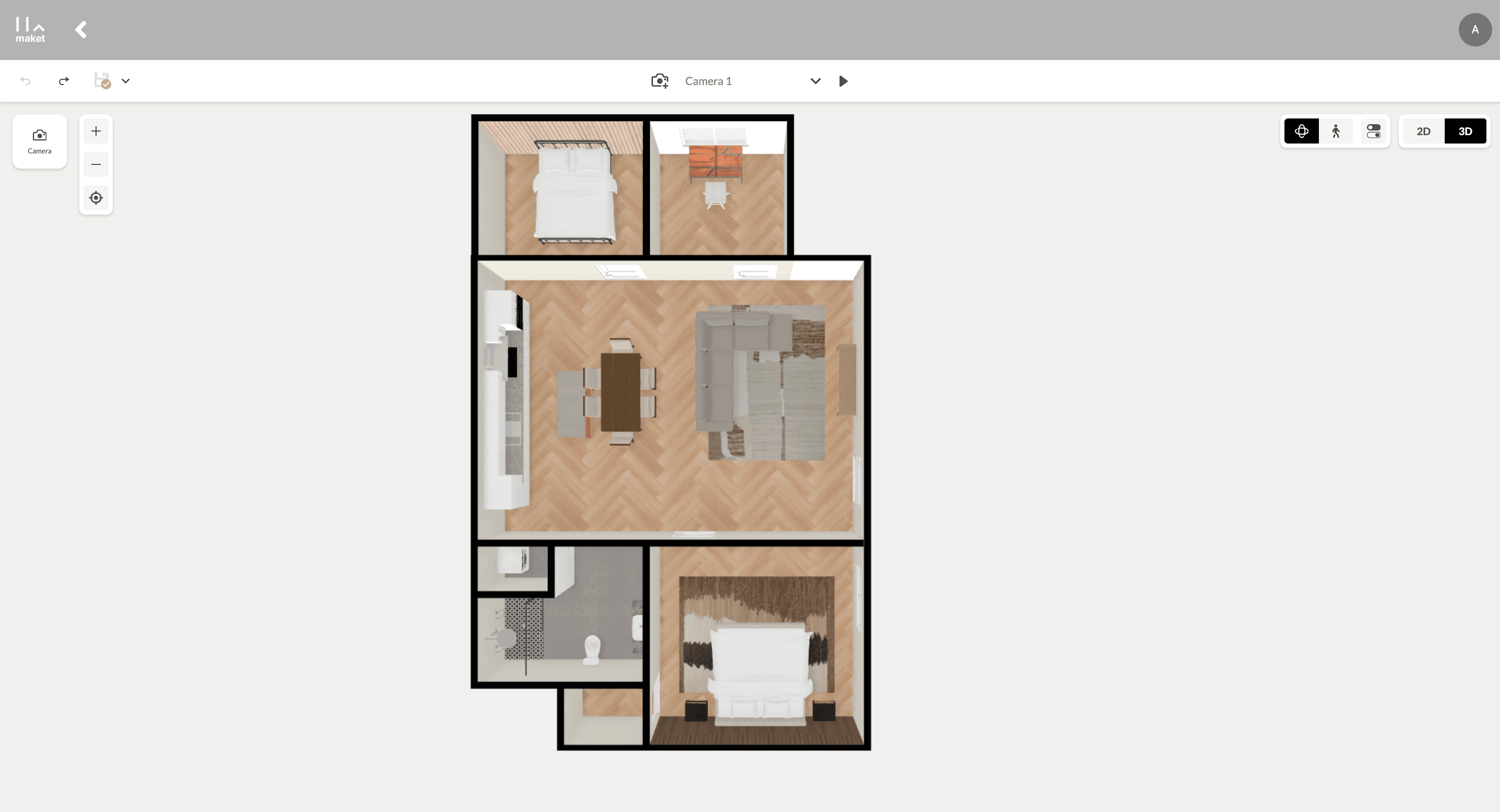
Edit in 3D: Remove or move around any furniture in 3D.
Tips for Best Results
Ensure that the 2D floorplan is complete with all details for a smooth conversion.
Utilize the walkthrough feature to experience the space from a human perspective.
Benefits of Upgrading to 3D
Improved Client and Personal Presentations
Present 3D models in meetings to provide a clear and tangible understanding of the project, enhancing communication and satisfaction for both designers and homeowners. This visual tool helps all parties involved—including clients who may not have a technical background—visualize the space better and make informed decisions.
Enhanced Accuracy and Understanding
Visualize spatial relationships and layout dynamics more effectively, which can help in decision-making processes and increase the accuracy of your designs.
Efficient Design Revisions
Quickly make and view changes in the 3D model without the need to switch back to 2D views, streamlining the revision process.
Conclusion
The Instant 2D to 3D Conversion tool is a powerful addition to any toolkit, bringing plans to life and providing a comprehensive understanding of architectural and interior spaces. Experience the future of design visualization now and transform your 2D ideas into 3D realities with ease.