2026
Draw a Floor Plan from Scratch + AI Complete
Sketch any floor plan shape, place the rooms you want, and let AI complete the layout. Turn a rough drawing into a clean plan in minutes.

Caroline Boulard
Head of Growth
10 min read
TL;DR: Sometimes, the fastest way to plan any room is to draw it yourself. With Maket's draw from scratch feature, you can sketch walls, place furniture, and render a photorealistic 3D visualization of any space in minutes. You can also let AI auto-complete your layout: define the rooms you know (like the living room, kitchen, and dining room) and Maket fills in the rest. Whether you're testing if a sofa fits your living room, planning a kitchen island layout, or turning a rough idea into a full floor plan, this tutorial walks you through the process step by step.
Not every project needs a full layout
Sometimes you just want to know if a sofa fits, what your kitchen would look like with an island, or whether a desk works in your spare bedroom. These are furniture and layout questions, not architecture questions. For that, you don't need to design an entire home. You need to plan one room.
That's what drawing from scratch is built for. You sketch the walls of a single space, drop in furniture, and see exactly what fits.
What you can do with draw from scratch
The feature is flexible enough for both simple and complex use cases:
Bedroom planning: Test a single bed vs a double bed, add a desk, see if everything fits in the space you have.
Living room layout: Try a sofa with a lamp beside it, test an L-shaped sectional vs a standard couch, see how the flow works.
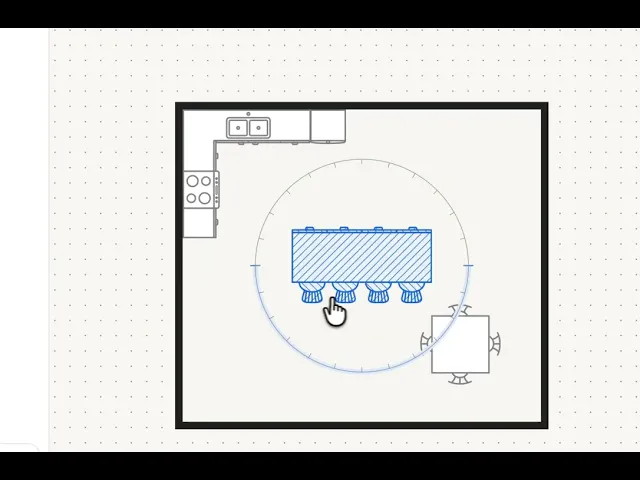
Kitchen design: Experiment with a kitchen island (with four stools or six), try different cabinet configurations, see how an open concept layout connects your kitchen, dining, and living spaces.
ADU or small space: Sketch out what a backyard accessory dwelling unit could look like without committing to a full floor plan.
Open concept exploration: Plan how kitchen, dining, and living areas flow together in a combined space.
And once your layout is set, you can visualize the space in 3D using Maket's rendering feature, complete with style references, materials, and colors. Resizable furniture is also coming soon, so you'll be able to match exact dimensions for an even more precise result.
Watch it in action
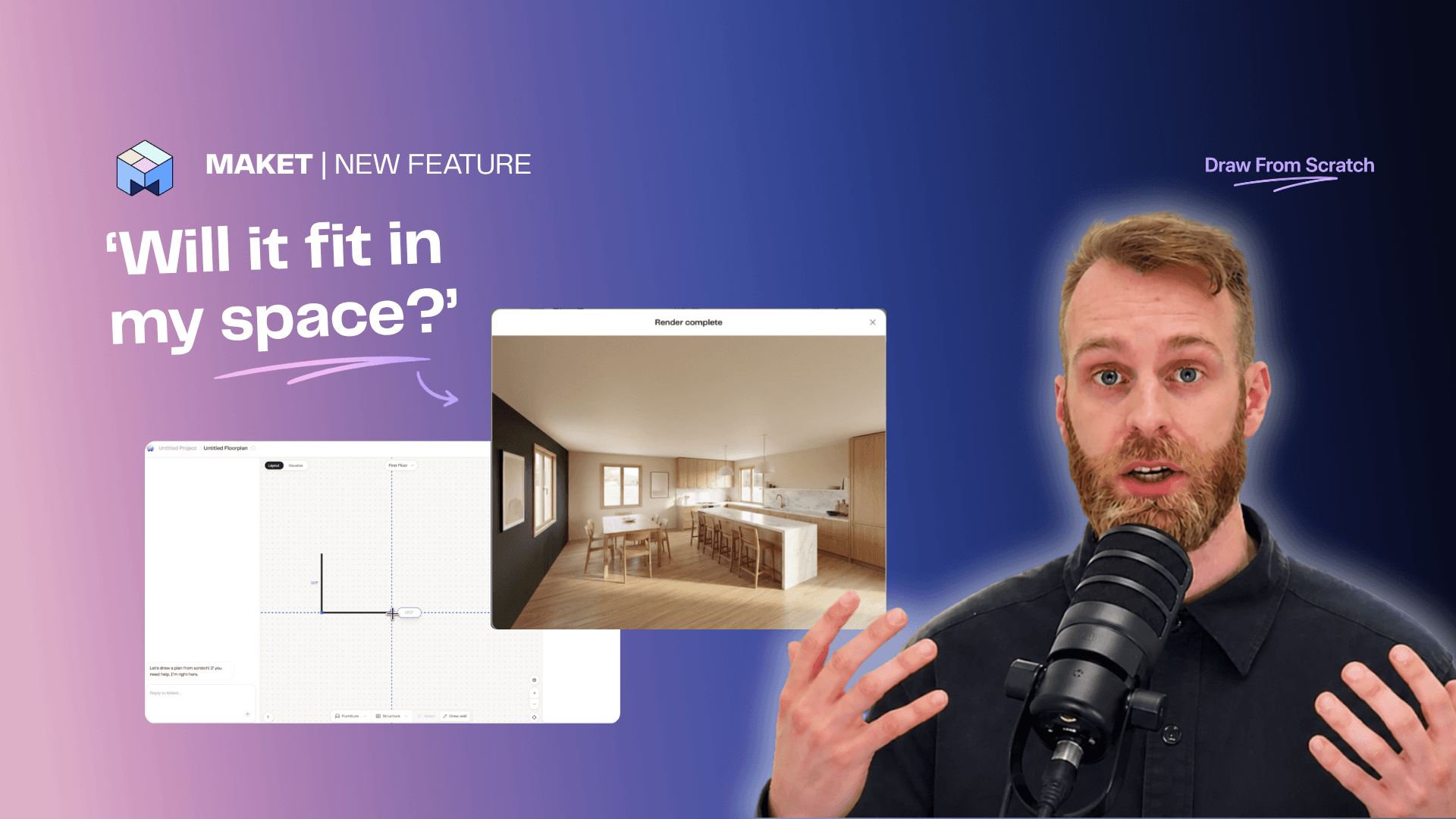
Prefer to see it before you read it? Here's a full walkthrough where we design a kitchen from scratch, place furniture, and render it in 3D:
Let AI auto-complete the rest of your plan
Drawing every room yourself isn't the only option. From watching how people use our app, we noticed many users know what they want for a few rooms but not how to turn that into a full floor plan. Auto-complete bridges that gap: you define the rooms you know, and the AI builds out the rest.
Here's how it works:
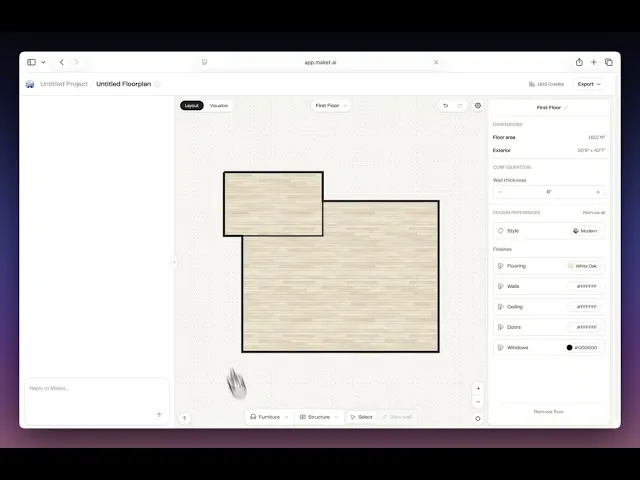
Use the wall tool to sketch your floor plan shape
Assign room types to the spaces you already know (for example, the living room, kitchen, and dining room)
Once a room is closed, ask Maket to add or complete what you'd like (bedrooms, bathrooms, kitchen, and more)
Maket builds the rest of the layout based on your input
It's best for designing a single room, a studio, an open concept area, or a small space like a backyard office, while keeping full control over your layout. Instead of designing every room yourself, you go from a rough idea to a functional floor plan in seconds.
A quick look on the Auto-Complete:
Step by step: drawing a kitchen from scratch
Here's the same process broken down step by step. The walkthrough uses a kitchen, but it works for any room.
Step 1: Sketch your walls
Click "Draw Plans from Scratch" in Maket. Start sketching your walls by clicking and dragging. Set your dimensions as you go. For a kitchen, 400 to 500 square feet is a comfortable starting point. Make sure the walls are properly aligned and the dimensions match your actual space (or the space you're planning for).
Step 2: Add furniture
Once your walls are in place, start adding furniture from the library:
Drop in a dining table (square or rectangular) with chairs
Add cabinets (try an L-shaped configuration in the corner)
Place a kitchen island with stools (test four vs six to see what fits)
Add doors to define entry points
Move and rotate pieces until the layout feels right. The goal is to test combinations quickly, not to get it perfect on the first try.
Step 3: Visualize in 3D
This is where it gets interesting. Click on the space, then:
Upload a style reference image (find one you like on Pinterest or save one from a magazine)
Go back to your scene and click Visualize
Position your camera where you want the rendering to be taken from
Add a text prompt describing what you want. For example: "Add cabinets to wall with a backsplash, make the walls beige with oak flooring, and add art to the wall."
Click Render Scene. This takes about 60 to 90 seconds.
The result is a photorealistic rendering of your layout with the style, materials, and colors you described. If the first generation isn't quite right, adjust your prompt and regenerate until you get what you want.
Who uses draw from scratch
Homeowners testing a room change
You have a spare bedroom and you're debating whether to turn it into an office or keep it as a guest room. Instead of moving furniture around physically, sketch both options on the platform and visualize them. Takes minutes instead of hours.
New apartment dwellers
You just signed a lease and you need to figure out furniture before move-in day. Should you get a two-seater or three-seater couch? Will an L-shaped sectional block the walkway? Add a TV stand and see if there's still room. Plan it all before you buy anything.
ADU and small space planners
If you have extra land and you're considering an accessory dwelling unit, draw from scratch lets you test small footprints (200 to 400 square feet) without the cost of a full architectural plan. See what fits, visualize it, and decide if it's worth pursuing.
Open concept renovators
Planning a renovation where kitchen, dining, and living flow into one space? This is one of the hardest layouts to get right because everything needs to work together. Draw the full combined area, place furniture in all three zones, and see how the circulation works before committing to anything.
What to know before you start
A few things to keep in mind:
Know your dimensions. You'll need the approximate square footage or wall measurements of your space. If you're not sure, measure with a tape measure or use the dimensions from your lease or floor plan.
Furniture isn't resizable yet (but it will be soon). For now, the furniture pieces come in standard sizes. This is enough for most planning purposes, but exact-fit scenarios will improve as this feature evolves.
Renderings may need iteration. The first render might not be exactly what you imagined. Adjust your text prompt (materials, colors, style) and regenerate. Most people get a result they like within two or three tries.
This is for planning only. Draw from scratch is designed for inspiration and exploration. For structural changes (removing walls, adding plumbing), consult a professional. It's a starting point, not a replacement for an architect or designer.
The AI can't close unclosed walls. If a room's boundary is left open or doesn't have a room type assigned, the auto-complete may struggle. Close every room before asking AI to complete.
The AI can't connect disconnected sketches. If you draw separate, unattached boxes, the AI can't piece them together.
The AI may rearrange furniture you've already placed. When completing the layout, AI optimizes based on its own logic, so place furniture after the AI completes if you want to keep it intact
Conclusion
Drawing a room layout from scratch is as simple as sketching a few walls and dropping in furniture. Add a 3D rendering on top and you can see exactly what your space will look like before making any decisions.
Whether you're planning a kitchen renovation, furnishing a new apartment, or exploring what to do with a spare room, Maket's draw from scratch feature makes it possible for any room, any size, any layout.
Try Maket free and draw your first room in minutes.
FAQs
Can I draw a floor plan for just one room?
Yes. Unlike most floor plan tools that require a full home layout, Maket's draw from scratch feature lets you sketch a single room (bedroom, kitchen, living room, office) and work with just that space.
Can Maket complete a floor plan for me?
Auto-complete works best on a closed, connected shape — sketch your outline and assign the rooms you know, and Maket can fill in the rest (bedrooms, bathrooms, kitchen). It can't close open walls or connect disconnected sections yet, so start with a closed boundary for best results.
Do I need design experience to draw a floor plan?
No. You sketch walls by clicking and dragging, then drop furniture from a library. No technical background needed.
Can I see what my room will look like in 3D?
Yes. Once your layout is set, use the rendering feature to generate a photorealistic 3D visualization. You can upload a style reference image and describe materials and colors in a text prompt.
Can I sketch a floor plan and let AI complete it?
Yes. With Maket's Draw from Scratch + AI auto-complete, you can sketch any shape and a few rooms, then ask the AI to fill in the rest. Available on the free plan.
Can I export my drawn floor plan to share with contractors or architects?
Yes. Maket exports drawn floor plans as PDF or DXF (the CAD-compatible format used by professionals). This makes it easy to share plans with contractors for quotes, with architects for review, or with family members during planning. Dimensions and layout details stay intact across all export formats.
Is this free to use?
Maket has a free tier that lets you test the platform. Drawing from scratch and basic rendering are available. Paid plans offer more credits and full editing capabilities. See pricing here.
Can I use this for a kitchen renovation?
Yes. Kitchen planning is one of the most popular use cases. You can test different cabinet configurations, island placements, and dining setups, then visualize the result with specific materials and colors.