2026
AI Floor Plan Generator: How It Works in 2026
Discover how AI floor plan generators work, their key features, and how to create custom home layouts faster with AI-powered design tools.

Caroline Boulard
Head of Growth
15 min read
Designing a home used to mean either hiring a professional or learning complicated software. AI floor plan generators have changed that. These tools let you describe what you need (room count, square footage, lot shape) and receive editable floor plans with real dimensions in minutes.
Whether you’re a homeowner exploring ideas, a builder creating client options, or a real estate professional showing a property’s potential, the technology makes it possible to go from concept to workable layout without specialized training or a big upfront investment.
In this guide, we’ll walk through how AI floor plan generation works, what to look for when choosing a tool, and how people across the industry are using this technology in 2026.
How AI Floor Plan Generation Works
AI floor plan generators use machine learning models trained on thousands of existing residential layouts. When you enter your requirements (say, three bedrooms, two bathrooms, 1,800 square feet on a rectangular lot), the AI doesn’t randomly scatter rooms inside a boundary. It understands that kitchens typically connect to dining areas, that bedrooms need privacy from common spaces, and that hallways should be efficient rather than sprawling. It learned all of this from analyzing how real homes are designed.
The process happens in three stages:
First, the AI interprets your constraints: how many rooms, how they should relate to each other, how much total space you have.
Then it generates multiple layout variations that satisfy those constraints while optimizing for livability, natural light, and logical room groupings.
Finally, you receive editable floor plans with accurate dimensions that you can tweak, export, or hand off to a professional.
Under the hood, Maket sends your inputs along with a set of predefined architectural rules to a frontier AI model. The model returns room layouts as vector coordinates, not a static image, which is what makes rooms editable afterward (an image cannot be resized with precision the way a set of x/y coordinates can). A proprietary post-processing layer then corrects the model’s mistakes: fixing circulation, adding doors, windows, and furniture.
Many Maket floor plans generate in around 90 seconds, though more complex generations can take a few minutes. Because the architecture is model-agnostic, Maket can swap in a stronger frontier model as one becomes available without changing how the product works for you.
This is different from browsing a template library. Templates give you a fixed plan that you squeeze your needs into. AI generation starts from your specific requirements and builds the plan around them, which is why you often end up with layouts you wouldn’t have thought of on your own.
What the AI Actually Produces (Level of Detail)
This is the part most articles get wrong. A modern AI floor plan generator does not produce a rough sketch. Maket’s own benchmarking puts the output at roughly 70 to 75 percent of what schematic design produces in a traditional workflow:
Walls with accurate thicknesses
Room labels and dimensions
Door and window placements
Basic furniture placement (beds, sofas, kitchen islands)
Multi-story plans, typically up to four stories
The remaining 25 to 30 percent is the part a human still owns: structural review, mechanical and electrical layout, code compliance, and the design judgment that turns a working layout into a great one. We come back to those limits later in this guide.
One important note on scope. AI floor plan generators are residential first. Commercial buildings (offices, retail, hospitals) involve mechanical, electrical, and code constraints that current AI does not handle well. The most common mistake new users make is asking for a commercial layout. Stick to single family homes, duplexes, townhouses, and small multi-unit residential to get useful output.
The Design Rules Behind Every Layout
Room placement is not random. Maket applies adjacency rules drawn from architectural standards: bedrooms are grouped together and kept away from the entrance, common areas like the living room and kitchen sit close to the front door, and every floor gets at least one full bathroom, with a second bathroom placed for direct access from the primary bedroom when the plan calls for it. These rules also account for construction logistics: bathrooms and laundry rooms are positioned to share a plumbing wall wherever possible.
Some of these rules shift by region. In Japan, for example, Maket’s generator favors narrower hallways and more compartmentalized rooms, reflecting how homes are typically divided there compared to the more open layouts common in North America.
What to Look for in an AI Floor Plan Tool
Not all AI floor plan generators deliver the same results. Some produce quick concept sketches while others create detailed layouts you can actually build from. Here’s what makes the difference.
Speed that matches your thinking. A useful AI floor plan generator should produce multiple layout options quickly enough to support iteration. That speed matters because it lets you explore freely. When generating a new option in minutes instead of three days, you naturally test more ideas and land on something better.
Real customization after generation. Getting an AI-generated layout is just the starting point. You’ll want to resize rooms, move walls, and swap spaces around. Tools that lock you into the first output aren’t particularly useful because first drafts rarely nail everything, whether they come from an AI or a human designer.
Dimensions you can trust. There’s a big gap between “a rectangle labeled bedroom” and “a 12-by-14-foot bedroom with proper door clearance.” Quality AI floor plan tools produce the latter, with measurements grounded in real-world construction standards. That said, always verify against local building codes before breaking ground.
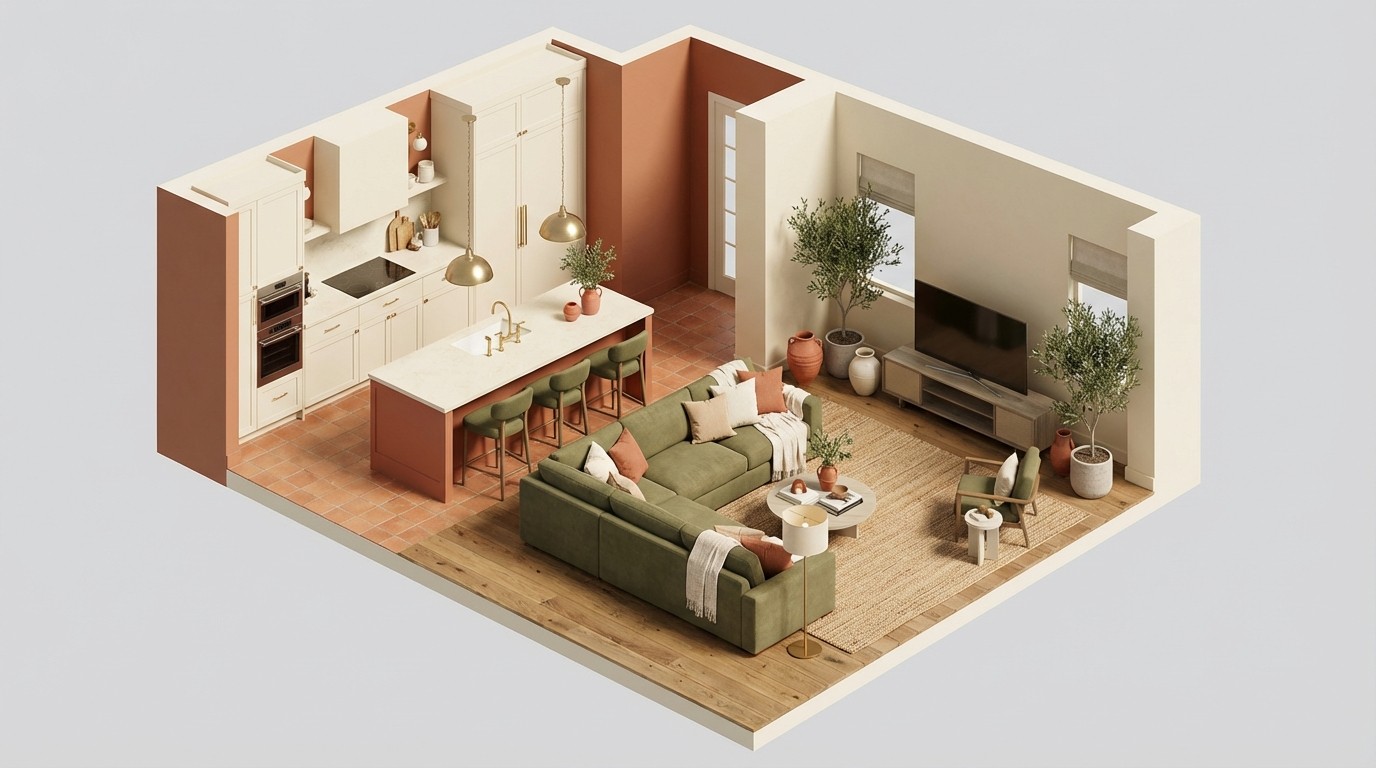
Visualization beyond the 2D plan. Some platforms offer 3D views or interior style previews, which is incredibly helpful when you’re trying to get buy-in from a partner, a client, or a family member who can’t quite read traditional floor plans. Seeing a space in three dimensions changes the conversation.
Export formats that play nice with others. You’ll eventually need to share your plan. PDF and PNG cover most casual conversations, but if you’re handing off to an architect, check whether the tool supports CAD-compatible formats like DXF or DWG. The smoother the handoff, the less work gets repeated downstream.
Want to compare how today’s leading tools perform on these criteria? See our full comparison of the top AI floor plan generators.
Why People Are Switching to AI for Floor Plans
The shift toward AI floor plan generators isn’t about novelty. It comes down to practical advantages that matter whether you’re a homeowner, a builder, or a real estate professional.
You explore more and settle less. Traditional design involves waiting days between iterations. You see three options, pick the least problematic one, and move on. With AI, you can generate and compare dozens of variations in a single afternoon. More exploration means better outcomes because you’re choosing from the full range of what’s possible, not just what happened to land on a designer’s desk first.
The learning curve has essentially vanished. Tools like SketchUp and AutoCAD are powerful, but they demand weeks of practice before you can produce anything useful. AI generators let you work with your ideas directly. You describe what you want and the software handles the technical translation. For early-stage planning and exploration, that’s a meaningful shift.
You save money before you’ve spent any. Many tools, including Maket, offer free tiers that let you experiment with layouts before committing to anything. It’s a low-pressure way to explore what works for your space and start building a clearer picture of what you want.
For builders specifically, the cost impact goes beyond free tiers. Here’s a closer look at the real numbers.
Who’s Using These Tools and How
Homeowners use AI floor plan generators to explore layouts before talking to contractors. It changes the dynamic of early conversations. Instead of describing vague ideas verbally, you’re pulling up specific layouts you’ve already tested and refined. Contractors consistently say that clients who show up with visuals make faster, more confident decisions.
If you’re a homeowner starting from scratch, here’s a practical guide to designing your house with AI from the first idea.
Builders and contractors use AI tools to produce options for clients in minutes rather than days. They generate several directions and let clients react to something concrete. This is especially valuable for spec home builders testing multiple configurations on the same lot.
Real estate professionals use AI layout tools to show a property’s potential. When you’re selling a fixer-upper, being able to show what the space could become (not just what it is today) changes how buyers evaluate the opportunity.
If you’re trying an AI floor plan tool for the first time, start simple. A single-story, three-bedroom layout will help you learn the workflow before you tackle anything more ambitious.

Creating a Floor Plan with AI, Step by Step
The whole process typically takes minutes.
Start with your requirements. Enter the basics: how many bedrooms and bathrooms, total square footage, and any lot constraints. Most tools also let you set adjacency preferences like open-concept kitchen-living or master suite placement.
The inputs the AI weighs most heavily, in order: total square footage, lot shape and dimensions (including irregularities like slopes or setbacks), the residential program itself (number of bedrooms, bathrooms, stories, plus any specific rooms like a home office or mudroom), and site subtleties (orientation, view direction, where you want the front entrance). You don't need design vocabulary. The AI translates plain language into spatial relationships on its own.
Review your options carefully. The AI will generate several variations. Take the time to compare how each layout handles traffic flow, natural light, and the separation between public spaces (living room, kitchen, dining) and private ones (bedrooms, bathrooms). These details matter more than the overall shape.
Refine your favorite. Once you've picked a direction, start adjusting. Move walls, resize rooms, add or remove spaces. Good AI tools make this feel iterative. You're sculpting a layout, not starting from scratch every time you want a change.
Export and share. Download in whatever format your next collaborator needs. PDF works for most conversations. For professional handoffs to architects or engineers, check whether CAD-compatible exports are available.
How the Main Tools Compare
The market offers several solid options, each with a different focus.
Maket is built specifically for AI-powered residential floor plan generation. You input your requirements and the AI produces optimized layouts tailored to your constraints. The learning curve is minimal. It's focused on the residential workflow, getting you from specs to a workable layout as directly as possible.
Planner 5D is a broader design platform with strong 2D and 3D visualization. It's popular for interior design and room arrangement, with a large community sharing designs and ideas.
RoomSketcher offers an accessible drag-and-drop interface with professional-quality output. Real estate professionals frequently use it for property listings and renovation visualizations.
SketchUp remains the go-to for detailed 3D architectural modeling. The learning curve is steeper than AI-first tools, but its depth and flexibility are hard to match for professionals who need precise control.
If you want fast AI generation from specs, tools like Maket are purpose-built for that. If you need advanced 3D modeling capabilities, SketchUp is unmatched in depth. Planner 5D and RoomSketcher balance ease of use with visual quality.
What It Costs to Use an AI Floor Plan Generator
Pricing in the category clusters into three tiers, and the differences come down to how many plans you generate and what you can export.
Tier | Typical price | What you get |
|---|---|---|
Free | $0 | Limited number of generations per month, watermarked or low resolution exports, basic editing |
Individual | $15 to $25 per month | A few hundred generations, full resolution exports, DXF and PDF, full editing |
Pro / Team | $40 to $100+ per month | High volume generations, team seats, priority support, advanced exports |
Most users start on a free tier to test the output on a real project, then move to an individual plan once they hit the generation limit. For context, Maket starts free with 30 credits and the individual plan is $20 per month for 300 credits.
The hidden cost to watch is credits per generation. Some tools count every regeneration and every variation against your monthly quota, others only count completed plans. Read the pricing page closely before committing.
What AI Floor Plans Can't Do Yet
AI floor plan generators are impressive, but it's important to understand their boundaries.
Structural engineering is still a human job. AI layouts don't account for load-bearing walls, mechanical systems, or foundation requirements. These are design tools, not engineering documents. For anything that involves actual construction, professional review is essential.
These aren't permit-ready documents. No AI floor plan generator currently produces drawings that a building department will accept for permit review. The output needs refinement by architects or engineers who understand your local code requirements. Think of AI plans as the starting point that gets you to those professional conversations faster and better prepared.
Quality varies more than you'd expect. Some AI generators produce layouts with genuinely intelligent spatial reasoning. Others essentially randomize room placements inside a boundary. The tools mentioned in this guide are on the stronger end, but always evaluate AI output with a critical eye.
For a balanced view of where AI home design tools stand today, including what works and what doesn't, we put together an honest assessment.
Ready to Design Your Next Floor Plan?
AI floor plan generators have made residential design exploration accessible to everyone. The combination of speed, quality, and simplicity means that testing layout options (something that used to require specialized skills or expensive professionals) is now something anyone can do in an afternoon.
The key is understanding where AI adds the most value: rapid exploration, multiple options, and easy iteration. Use it to test your ideas, refine your thinking, and show up to professional conversations with clarity about what you want. That's where the real time and money savings happen.
Want to see what editing looks like in practice? Here's our complete walkthrough of the design process.
Get started with Maket for free, no credit card required.

FAQs About AI Floor Plan Generators
Is there a free AI floor plan generator?
Yes. Several tools including Maket offer free tiers that let you test AI floor plan generation before committing to a paid plan. Free versions typically limit project count or export options, but they give you a real sense of what the technology can do.
Can ChatGPT create usable floor plans?
ChatGPT can describe floor plan concepts in text and generate basic diagrams, but it can't produce dimensionally accurate, editable floor plans suitable for actual planning. Purpose-built tools like Maket, Planner 5D, and RoomSketcher are designed specifically for visual, measurable output.
Can AI create residential house plans?
Yes. AI floor plan generators are residential first. They handle single family homes, duplexes, townhouses, and small multi-unit residential layouts up to four stories. The output covers walls, dimensions, doors, windows, and basic furniture placement (roughly 70 to 75 percent of schematic design).
How accurate are AI-generated floor plan measurements?
Quality tools produce dimensionally accurate layouts that work well for planning conversations and early design exploration. That said, professional verification is essential before construction begins because AI doesn't account for local building codes, soil conditions, or structural engineering specifics.
Can AI floor plan generators handle multi-story homes?
Most capable tools support multi-story layouts. You design each floor separately while the software maintains consistent footprints, stair placements, and structural alignment between levels.
Can AI generate architectural blueprints?
AI generates schematic floor plans, not full architectural blueprints. The output includes dimensioned walls, room labels, doors, and windows, which is the foundation of a blueprint. Final blueprints (with structural details, mechanical systems, electrical, plumbing, and code annotations) still require a professional architect or engineer to complete from the AI-generated starting point.
What's the difference between an AI floor plan generator and a template library?
Templates are pre-made layouts you adapt to your situation. AI generators create custom layouts from your specific inputs (room count, square footage, lot shape), producing designs that didn't exist before you described what you wanted. One adapts, the other creates.
Do I still need an architect if I use AI for floor plans?
For anything beyond early-stage exploration, yes. AI generates strong starting points, but architects bring structural knowledge, code compliance expertise, and construction documentation skills that these tools don't replace. The value of AI is in accelerating the exploration phase so you and your architect can focus on building rather than brainstorming.
How long does it take AI to generate a floor plan?
A few minutes for the first layout. Iterations are faster because the brief is already loaded.
Can AI generate floor plans for commercial buildings?
Not reliably. Current AI floor plan generators are trained on residential layouts and perform poorly on commercial programs. Stick to single family homes, duplexes, townhouses, and small multi-unit residential.
How much of the design work does AI actually cover?
Roughly 70 to 75 percent of the schematic phase: walls, dimensions, basic furniture, multi-story layouts. The remaining 25 to 30 percent (structural, mechanical, code review) still requires a professional.
What file formats can I export?
The standard set is DXF for CAD workflows, PDF for client and permit packages, and image formats (PNG, JPG) for quick sharing.
Do I need design knowledge to use it?
No. The inputs are plain language. If you can describe the home you want in a sentence, the AI handles the spatial work.